
Splitting expenses sounds easy until it actually happens. One person pays for dinner, someone else books the stay, and another covers transport. A few days later, nobody knows who owes what.
After testing Bill Split Pro across different group scenarios, it became clear how it handles real shared expenses. The goal was simple - track multiple payments, keep balances clear, and avoid messy spreadsheets.
What Is Bill Split Pro?
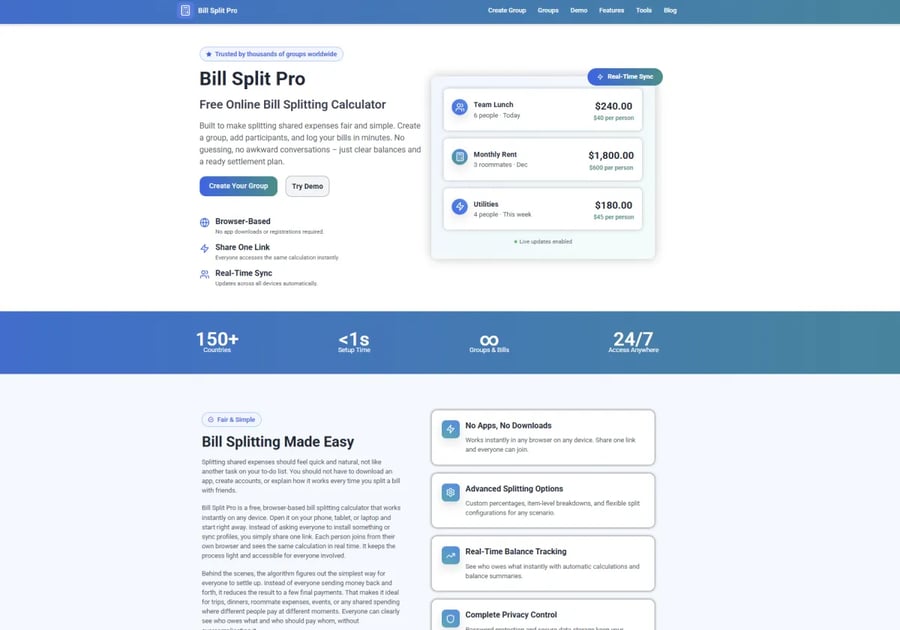
Bill Split Pro is a browser-based bill splitting tool. You don’t need to download anything or create an account to start.
You create a group, add people, enter expenses, and the tool calculates balances automatically. Everything updates in real time, so everyone stays on the same page.
The main focus is speed and simplicity. It avoids the heavy setup that many apps require.
Main Features
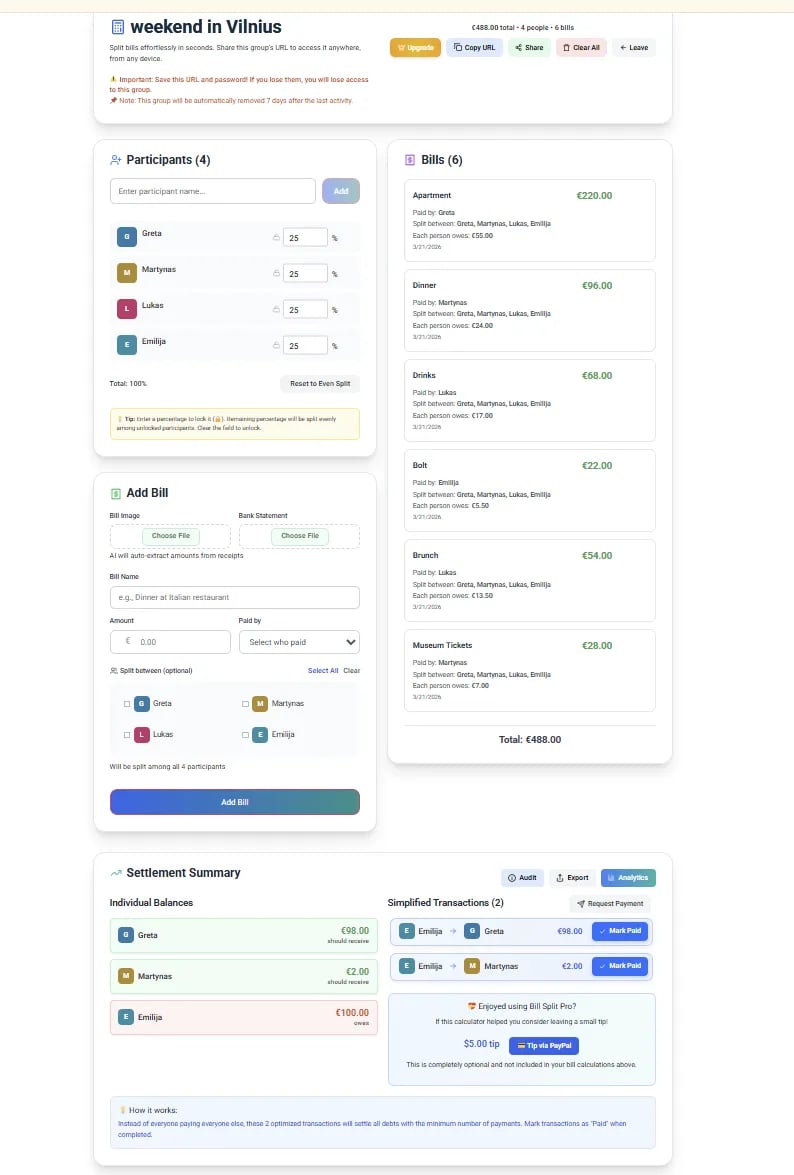
Bill Split Pro keeps things focused on what most people actually need.
Group setup
You can create a group in seconds and add participants. This works well for trips, shared apartments, or one-time events.
Multiple expenses
You can add as many bills as needed. This is important for real situations where expenses build up over time.
Automatic balance calculation
As soon as you add expenses, the tool calculates who owes what. It also simplifies payments, so fewer transactions are needed.
Clear overview
You always see who paid more and who still owes money. No manual calculations needed.
Shareable group link
You can share the group with others using a link. Everyone can view and update expenses from any device.
How It Works
The process is quick and easy.
- Create a group
Set up a group for your trip, household, or event.
- Add participants
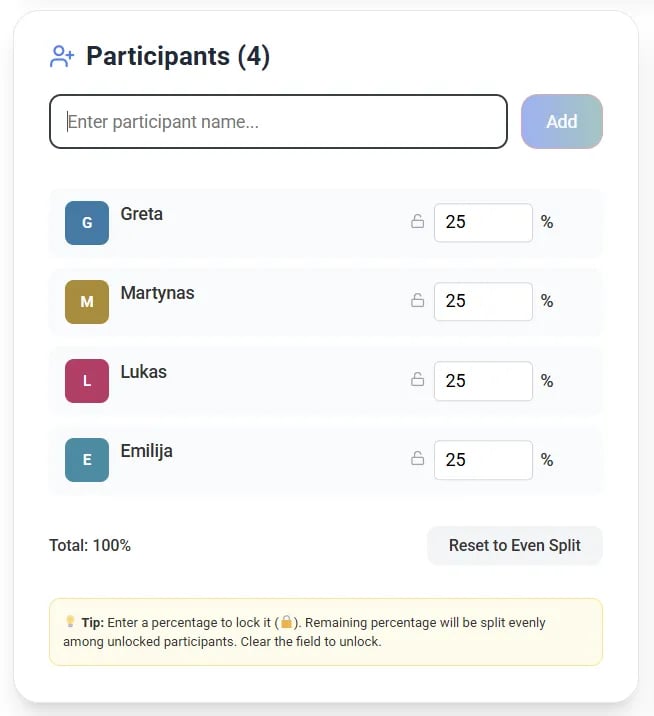
Include everyone who is part of the shared expenses.
- Enter expenses
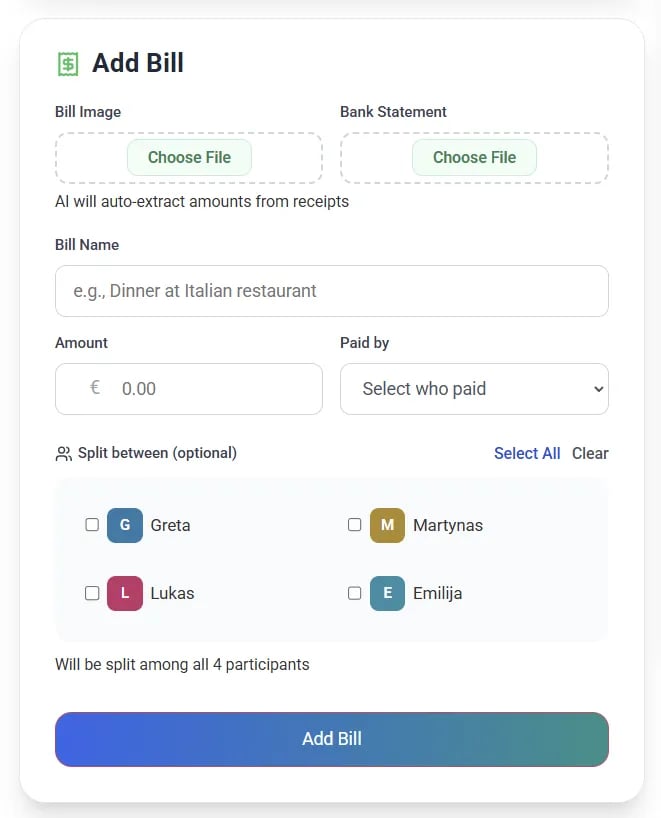
Add bills as they happen. You can split them evenly or adjust who pays.
- Check balances
The tool shows who owes what and how to settle it.
Pricing
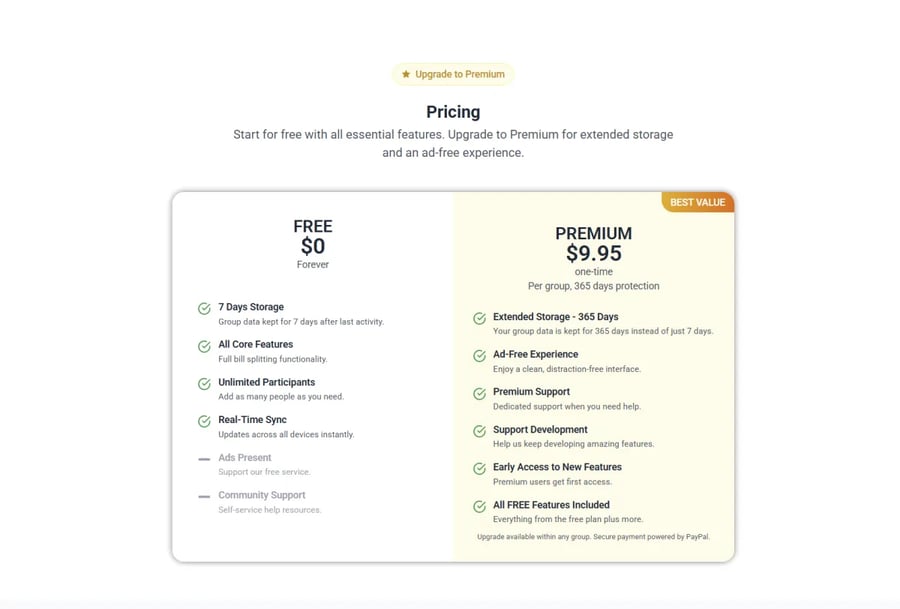
Bill Split Pro is free to use for the core features.
You can create groups, add expenses, and calculate balances without paying. There is also a Premium option with extra features, but most users will not need it for basic expense tracking.
Pros
- Free to use for core features
- No signup required
- Works in any browser
- Easy to share with a group
- Handles multiple expenses without limits
- Clear and simple interface
Cons
- Requires internet connection
- No dedicated mobile app
- Some advanced features are part of a paid plan
My Experience Using It
I tested Bill Split Pro with a few real scenarios - a short trip, a shared dinner, and a simple roommate setup.
The biggest difference compared to other apps was how fast it is to start. No account, no setup friction. You just open it and begin.
Adding expenses is quick. The interface stays clean even after multiple entries. I didn’t run into limits or restrictions, which is something that happens with other apps.
The balance calculation also feels accurate and easy to follow. It shows exactly who owes what without overcomplicating the settlement.
It does not try to do too much. That is actually a good thing. It focuses on one job and does it well.
Who Should Use Bill Split Pro?
This tool works best for people who want a simple way to track shared expenses without installing an app.
It fits well for:
- Travel groups
- Roommates
- Shared dinners or events
- Anyone who wants a quick browser-based solution
Final Verdict
Bill Split Pro keeps things simple. You create a group, add expenses, and the balances update automatically.
There are no daily limits, no forced signup, and no unnecessary features getting in the way. That alone makes it stand out compared to many bill splitting apps.
It may not replace full finance apps, but that is not the goal. For splitting bills quickly and keeping things organized, it does the job well.
Copyright © 2026 California Business Journal. All Rights Reserved.
For California Business Journal Disclaimers, go to /terms-conditions/.


