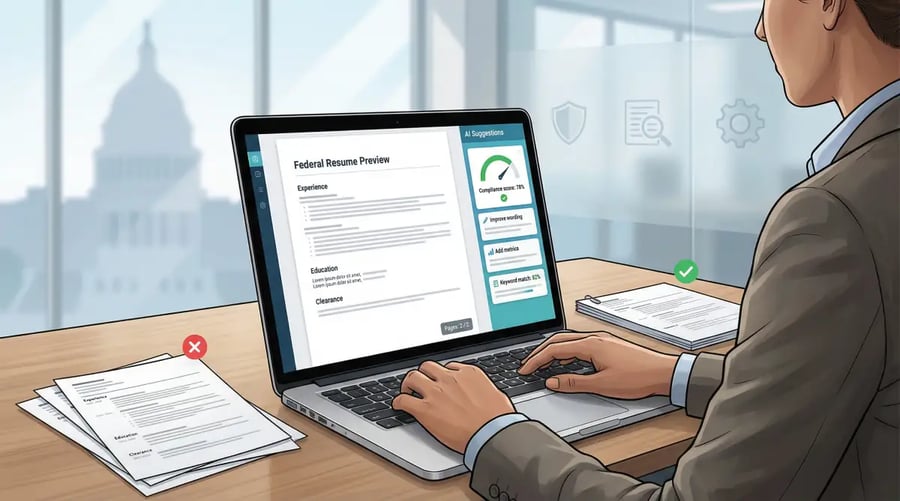
Federal hiring just got stricter. As of September 27, 2025, USAJOBS rejects any résumé that runs over two pages—period. You still need to list hours per week, supervisor contacts, and clearance details, but now they all must fit into half the space. Modern résumé builders pick up the slack: they lock page length, surface vacancy keywords, and flag weak verbs in real time. We tested 27 platforms and kept eight that stay compliant, cut editing time, and push your FedFit Score well past the dreaded 34 percent threshold.
How we picked the winners
Modern AI resume builders help federal job applicants stay within USAJOBS two-page limits while hitting the right keywords and compliance checks
We put 27 popular résumé builders through a three-step gauntlet.
- Compliance first. Any platform that couldn’t lock a file to the two-page ceiling USAJOBS began enforcing on September 27, 2025 was cut immediately, according to Fedweek. We also ran each PDF through a basic ATS parser to be sure every word stayed machine-readable.
- Real-world stress test. Our team built three sample résumés: a career-switching project manager, a GS-13 cybersecurity veteran, and a Pathways-eligible new grad. We checked whether hours per week, supervisor contacts, and clearance language fit without breaking the layout.
- Weighted scoring. Surviving tools earned points across five factors: federal-specific safeguards (30 percent), AI and keyword coaching (25 percent), editing flexibility (15 percent), accessible, single-column design (15 percent), and true walk-away cost (15 percent). Builders that lacked basic encryption or a current privacy policy still failed, regardless of score.
A three-step gauntlet—compliance checks, stress tests, and weighted scoring—narrowed 27 resume builders down to eight federal-ready options
Rather than crown one “best,” we sorted the eight highest scorers by use case because a budget-minded veteran and a design-focused analyst need different strengths in a builder. Federal resume guides, including Novorésumé’s 2025 federal-resume walkthrough, stress that applications need extras like GS codes, citizenship, hours worked per week, veterans’ preference, and clearance alongside standard work history, so we favored builders that make those details easy to surface without breaking ATS readability. That way a tool chosen for a design-minded career changer still clears the same federal compliance bars as one aimed at a cost-conscious first-time applicant.
Novorésumé: AI-powered polish without the guesswork
Novorésumé’s online resume builder for 2026 automatically locks every résumé to the two-page USAJOBS limit introduced on September 27, 2025.
A live AI coach then tightens wording as you write.
Pick a single-column template. Every element is plain text, so USAJOBS parsers read it line for line. Font size, margins, and page breaks stay locked to the two-page ceiling federal HR now enforces.
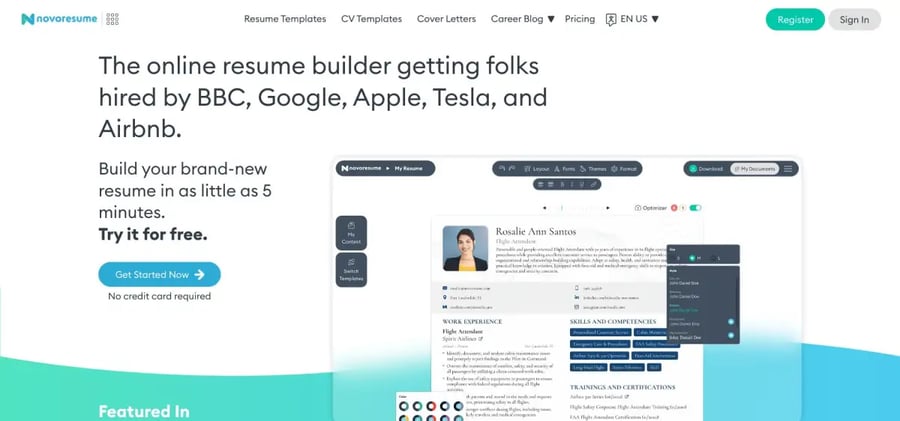
As you type, the platform’s AI analysis tool flags passive verbs, missing numbers, and stray fluff. TechRadar calls the feature “an intuitive, effective service that suggests resume improvements as you tweak the layout.” Change “Managed software projects” to “Led six-person Agile team delivering three releases ahead of schedule,” and the coach lights turn from yellow to green.
Editing stays flexible. Need a “Clearance level” line or a quick “Publications” block? Add the section and drag it wherever it strengthens your story, with no HTML gymnastics required. That fluid layout lets you surface certifications right under your summary instead of burying them after education.
Pricing is simple: the Basic tier lets you create and download one one-page résumé for free. Upgrading to Premium (about $22 for one month or $140 per year) unlocks two-page exports, unlimited versions, and the full AI feedback loop. Many federal applicants pay for a single month, export every tailored file they need, and cancel.
If you’re shifting from private-sector work to federal service and want a résumé that looks professionally typeset while nailing clearance jargon and keyword density, Novorésumé lets you focus on content while the software guards the format.
Enhancv: custom sections for a résumé that reads like you
Enhancv replaces the usual rigid form with a drag-and-drop canvas. Choose a template, then reposition any of 20-plus section types, such as “Military service,” “Clearance,” or a quick “Key policy wins,” so the facts federal HR cares about sit right at the top.
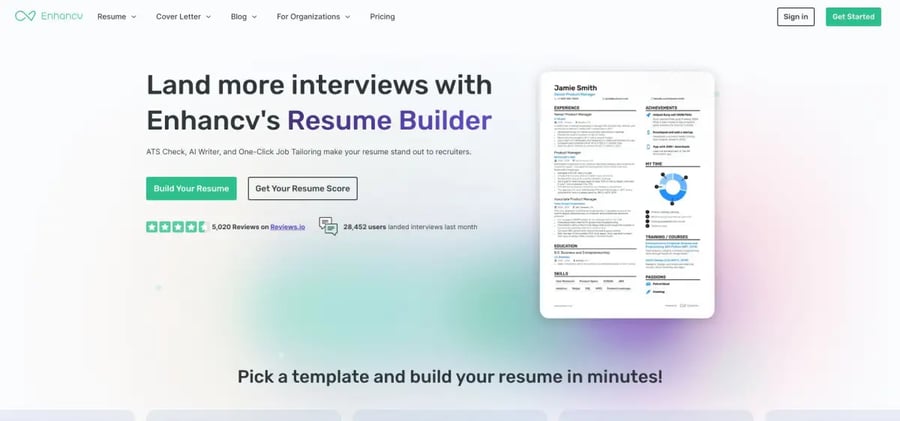
Compliance stays baked in. The “Classic” and “Modern” layouts keep a single column, wide line spacing, and zero graphics, which means every word flows through USAJOBS parsers and the final PDF stays under two pages.
Need language help? A built-in GPT-powered assistant lives in the sidebar. Paste a flat bullet, and it offers three sharper versions while flagging passive voice and filler, reports Enhancv.
Cost is straightforward: new users get full access for seven days. After that, downloads lock until you upgrade to Pro (about $24.99 per month or $16.66 on the quarterly plan). Most applicants treat the free week as a sprint, build core and variant résumés, export them all, then decide if ongoing Pro access is worth it.
For career changers who need room to showcase side projects, volunteer work, or certifications without breaking federal rules, Enhancv delivers flexibility plus a real-time writing coach, all without risking ATS rejection.
Resume.io: fast formatting for the clock-strapped applicant
Need a compliant résumé in ten minutes? Resume.io’s guided form lets you fill fields, choose a single-column template, and watch a polished PDF appear in real time. Every layout sticks to plain text, simple headings, and margin guards, so USAJOBS parsers don’t stumble.
Duplication tools speed tailoring. Copy a résumé, rename a section to “Hours per week” or “Clearance,” tweak a few bullets, and export a new file. This approach helps when you’re applying for different GS grades.
Writing help is lighter than in AI-heavy builders but still useful. Select a job title, and the editor suggests pre-written phrases you can edit for metrics and agency keywords, according to Resume.io updates.
Pricing is straightforward: build for free, then unlock unlimited PDF downloads with a seven-day trial that costs $2.95. The plan auto-renews at $29.95 every four weeks if you keep it. Cancel during the trial, and your drafts remain in the dashboard for future tweaks.
If you’re juggling multiple applications and a relocation, Resume.io delivers a no-frills, two-page-safe résumé fast, so you can get back to interview prep.
Zety: guided writing that keeps keywords front and center
Blank-page dread disappears the moment Zety’s builder opens. Tiny prompts ask for your role, then surface pre-written bullet points you can accept, edit, or delete. Add your own numbers, and the AI adjusts phrasing so each line lands with measurable impact.
A color-coded résumé score sits in the corner like a traffic light: green means your draft hits keywords and avoids fluff, yellow suggests improvements, and red flags problems. The score comes from Zety’s built-in ATS checker, which scans formatting and keyword density before you ever download.
Templates stay deliberately plain, with a single column, clear headings, and no icons, so the exported PDF fits under two pages and glides through USAJOBS parsing.
Cost is modest. Building is free, and a 14-day full-access trial costs $1.95. If you keep the subscription, it renews at $25.95 every four weeks. Most applicants treat the trial as an inexpensive workshop, polish the résumé, grab PDF and Word copies, and cancel before renewal.
For career switchers who need help translating private-sector jargon into federal keywords, Zety’s guided prompts and real-time score keep you honest while its conservative layout keeps HR happy.
Kickresume: designer looks plus AI drafts for the detail-obsessed
Kickresume is the résumé equivalent of a well-tailored suit: sharp, precise, and ready in minutes. Start with a single-column template. Every design element is plain text, so USAJOBS parsers breeze through. Bold section headers and clear hierarchy keep reviewers oriented as they skim.
An OpenAI-powered AI writer lives in the sidebar. Paste a rough duty statement, and it returns three metric-rich options. A built-in grammar checker then polishes tense and punctuation.
Pricing is straightforward. Four basic templates are free, while Premium unlocks more than 40 designs, the AI writer, and an ATS checker for $24 per month, or $10 per month on the annual plan. Students who verify an .edu email get six months of Premium at no cost.
Stick to the classic layouts. Kickresume also offers neon bars and skill infographics best saved for LinkedIn, and you will leave with a résumé that looks bespoke yet stays under every USAJOBS compliance bar.
ResumeGenius: phrase library that turns bullet writing into fill-in-the-blank ease
If a blinking cursor drains your energy, ResumeGenius supplies words by the bucket. TechRadar notes the builder’s database tops 50,000 pre-written phrases covering roles from avionics repair to zoo budgeting. Choose your occupation, tick duties you performed, and watch the preview fill with starter bullets. Swap in metrics and acronyms, and the text becomes your own.
Templates are purposefully plain, with black type, a single column, and zero clip art, so the exported PDF stays light and fully readable by USAJOBS bots. Need “Volunteer federal service” or “Technical certifications”? Rename a section and keep typing.
The builder is free until download. A 14-day trial costs $2.95 and renews at $23.95 every four weeks if you keep it. TXT exports stay free forever. Most applicants treat the trial as a short sprint: build multiple versions, grab PDF and Word copies, cancel, and keep editing later as needed.
Result: instant scaffolding for your accomplishments without fighting writer’s block, ideal when you know the facts but not the phrasing.
FedFitPro: the final compliance check before you hit “submit”
FedFitPro is a last-mile diagnostic built exclusively for federal résumés. Upload any PDF or Word file, add the USAJOBS announcement text, and in under a minute the AI returns a FedFit Score plus a color-coded report showing keyword gaps, missing hours-per-week fields, over-length pages, and other OPM deal-breakers.

Why it matters: FedFitPro’s engine is tuned to the same Merit Hiring Plan rules that now cap most résumés at two pages and require complete supervisor and reference details. It even flags walls of passive voice so you can swap in action verbs before HR skims.
Pricing works like a one-off critique. A single scan costs $29, and bundles of three drop the per-résumé price to $19 each. All plans include a step-by-step “Fix-It Plan” PDF.
Running the check isn’t mandatory, but according to JobMatchPro, eighty-seven percent of federal résumés are discarded for technical flaws before a human review. A quick FedFitPro audit can turn a silent rejection into a referral notice.
USAJOBS builder: the government’s own safety net
Sometimes the safest move is the official one. The résumé builder inside your USAJOBS dashboard auto-formats every field and refuses to save a file that exceeds the two-page limit OPM imposed on September 27, 2025.
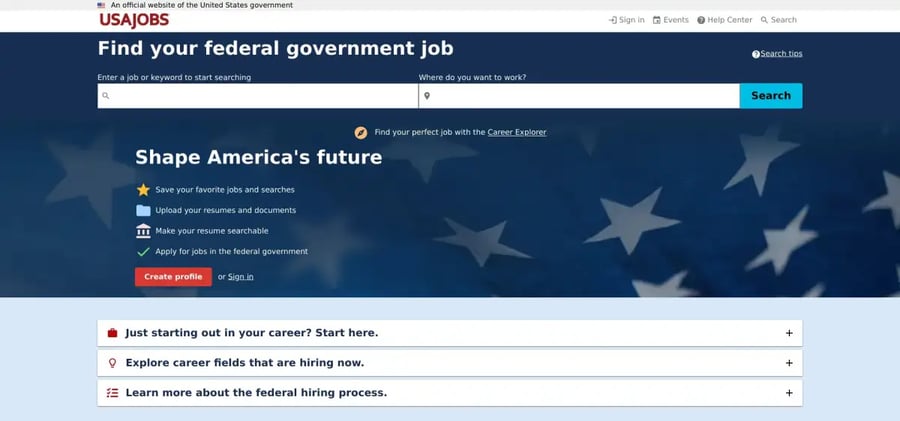
The workflow feels like tax software: add contact information, paste duties, note hours per week, and indicate whether the agency may call your supervisor. A live counter shows how much space remains. Cross the line, and a red alert forces you to trim before saving.
Design is plain, with black text, no columns, and no graphics, but HR reviewers like the familiarity. Because each entry lives in a structured database, nothing needs to be parsed; hiring specialists see the résumé in a layout they read every day.
The trade-off is time. Applicants with long careers may spend an hour copying bullets into the form. Many users draft in another tool, then paste final text here for foolproof compliance.
The payoff: margins, file size, and accessibility hurdles disappear, and whenever OPM tweaks résumé rules, the builder updates itself. If you are new to federal hiring, or an agency explicitly asks for the in-platform résumé, this is the easiest way to meet every requirement in one sitting.
Resumecoach: Smart AI-Powered Federal Resume Building
As USAJOBS continues to enforce strict two-page limits into 2026, Resumecoach provides a specialized platform for federal applicants. Its templates are specifically engineered for ATS compliance, ensuring that complex government work histories remain machine-readable while maintaining a polished, professional look.
The platform features a smart AI content generator that suggests impact-oriented phrases and specific action verbs favored by federal hiring managers. This helps applicants condense their experience without losing the keyword density necessary to clear initial screenings.
Quick-glance comparison
| Builder | Compliance focus | AI and keyword help | Cost to download* | Best fit |
| Novorésumé | ATS-tested, locks file to two pages | Live AI critique | $22 for a one-month Premium plan | Design-minded career changers |
| Enhancv | Single-column templates, custom sections | GPT assistant edits bullets | $24.99 per month after a seven-day free trial | Story-heavy résumés that need unique blocks |
| Resume.io | Plain-text templates, margin guard | Phrase suggestions only | $2.95 for a seven-day trial, then $29.95 every four weeks | Fast, budget builds |
| Zety | Conservative layouts, résumé score | Prompts plus color scorecard | $1.95 for a 14-day trial, then $25.95 every four weeks | Keyword help for switchers |
| Kickresume | Classic templates keep text selectable | AI writer plus grammar check | $24 per month, or free for students for six months | Visual polish and AI drafting |
| ResumeGenius | Plain templates, rename sections | Fifty-thousand-phrase library | $2.95 for a 14-day trial, then $23.95 every four weeks | Quick wording confidence |
| FedFitPro | Flags two-page rule, missing fields | Full compliance report | $29 single scan, or $57 for a three-scan bundle | Final audit before submission |
| USAJOBS builder | Built-in OPM rules | None | Always free | First-time federal applicants |
*Lowest advertised rate for a usable PDF or Word file as of December 2025. Longer plans may reduce the monthly price.
Use the grid to match your top need, whether that is AI wording help, rock-solid compliance, or the cheapest path to a clean PDF, then return to each deep dive for details and caveats.
How to choose the right builder for your situation
Start with your writing comfort.
- Blank-page jitters? Pick a coaching tool. Novorésumé’s live AI critique, or the Zety and ResumeGenius phrase prompts, turn raw ideas into metric-rich bullets.
- Confident writer? A formatter like Resume.io handles layout, so you can finish in minutes.
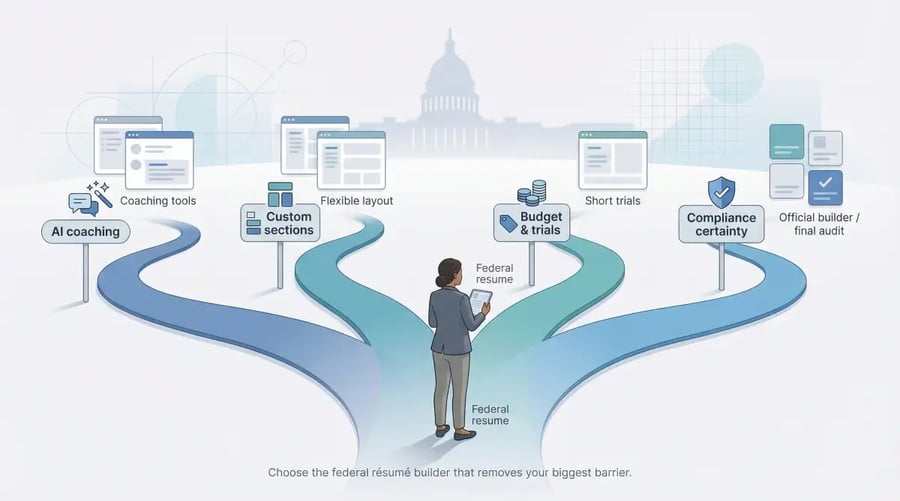
Start with your biggest barrier—writing comfort, budget, nuance or compliance—then choose the federal résumé builder that fits
Check how much federal nuance you still need.
- Need custom blocks for “Clearance,” “Publications,” or “Military awards”? Enhancv and Kickresume let you drag those sections to the top.
- Worried about hidden compliance traps? Run your draft through FedFitPro for a last-mile scan before upload.
Mind the budget. Trials are inexpensive, but renewals climb. Plan a one-week sprint, export every variant, and cancel. Students can verify an .edu email for six months of Kickresume Premium at no cost. Annual Novorésumé users often save if they expect multiple applications.
Decide your risk tolerance. If absolute certainty matters, build your résumé with the USAJOBS builder. It trades visual flair for guaranteed compliance with page-length, accessibility, and structured-data rules.
Choose the tool that removes your biggest barrier, then invest the saved time in tailoring each application, because even the smartest builder cannot customize your achievements for you.
Copyright © 2025 California Business Journal. All Rights Reserved.
For California Business Journal Disclaimers, go to /terms-conditions/.


